As someone who spends quite alot of time explaining and debugging multithreaded applications it's nice to see someone else take a go at it for a change.
Future Chips (Mmm chips) has an articles on what makes parallel programming hard. It goes over why not all programs get a speedup with more cores and why it's hard to write and debug multithreaded (MT) programs.
They have also posted a follow up article on writing and optimizing parallel programs; a complete example. Which is nice...
Monday, May 30, 2011


Thursday, February 10, 2011
My Top Three User Interface Books
As far as I know there is still no course or university program to become a user interface designer. Part of me thinks this is a shame because I think there's a lot of things you can teach someone who wants to design user interfaces for computer programs or websites. Another part of me is happy because I can claim to know a thing or two about user interfaces without the bother of getting another degree.
I've been doing computer programming for a while now (that's an Imperial "while" you'll note. Multiply by 1.6 to get the more typical metric "while".) And just about all of that programming has involved some sort of GUI work on a desktop application. In my opinion there are many great books that can help you become better at this sort of thing. However, if you want to learn as much as possible in as little time as possible then I recommend three books.
The first book tells you how to know what to build. This is surprisingly difficult because you often aren't building a program for yourself you're building it for someone else and you don't know what they need. If you're a programmer this is even harder because programmers think in a very peculiar way with respect to computers. If you're a developer and you're building a user interface what you end up with an interface that doesn't do what it needs to and does it in a very strange and round about way.
The Inmates are R unning the Asylum is a book by Alan Cooper. This is a book for programmers who want to write user interfaces. In the book he explains how developers think differently than your average man on the street. Specifically he points out how certain practices that work well if you're developing software get in the way if you're trying to write a user interface. For example, one of the easiest traps to fall into is to write a user interface that can deal with every single possible edge case that the user might ever have. Trying to deal with every single case is essential if you're writing computer software.In fact, if you don't do this your computer software will break. When writing user interfaces it's counter productive. Trying to do everything means you're not doing anything well. One warning, don't let your pointy haired manager get hold of this book or you might never be asked to program a UI again. This book is is written for developers and there's a lot of hyperbolic developer bashing. As a developer, it gets your attention, but may get miss-understood by others. Developers can code good interfaces.
If you're not a developer you should read About Face. About Face is also by Alan Cooper and contains the same material as the inmates are running the asylum but also contained additional chapters and give more detail on constructing processes in an organization to formalize interface development. This is useful if you have to convince the organization or even the developers on your team that's something you're suggesting make sense. Believe me you'll need to do this at some point. Probably before you actually get any real work done.
In both these books, Alan Cooper explains several methods you can use in order to figure out exactly what your software is supposed to do. Newcomers to the field often think that the way you figure out what your software should do is you ask the user. In practice this doesn't work very well unless the person you're asking is a user interface designer. Users are extremely bad at expressing what they want. For it to have any hope of working you'll need a tight feedback loop and lots of prototyping/trial and error. The tight feedback loop is almost never possible in practice and even when it is the results are still... average. To do better to do better you'll need to read the book.
Book 2 is GUI Bloopers. Actually, this book is a stand-in for si mply knowing user interface guidelines and standards for the platforms and GUI widgets you be using. It's funny because Alan Cooper downplays the importance of sticking to interface guidelines and standards. In my opinion you absolutely have to know all the standards and interface guidelines for your platform. There are no excuses. You don't have to be totally pedantic about it but you really need to know the rules before you break them. It's important to know this stuff if you're a developer because UI designers don't always design to this level of detail.
Most people have been exposed to computer interfaces before and have an intuitive grasp of how buttons panels menu bars and the like should all work. GUI Bloopers is about the things that user interface designers often get wrong when they try and transfer this intuitive knowledge into an explicit design. The book is also extremely fun to read. It brings up examples of bloopers in real-life and often well-known applications with often funny results. Sometimes I read it as a form of therapy.
The end result of having an application that obeys platform conventions is that it feels very familiar and natural. The user can start using the application right from the start without feeling disoriented or having to think about what he's doing. In the past there were many people who had never used a computer before. These days most people interact with a computer every day. If you build an application in such a way that it works very similarly to other applications you will have drastically reduced the learning time and people will have a very warm fuzzy feeling of familiarity with your application right from the start. On the other hand if your application works in a completely weird and unexpected way it will make the user feel as if they're starting over from scratch again. It will be disorientating and confusing and that's not a a good first impression to make. Let's not be bush-league.
 If you've mastered the other two books it's time to move on to the advanced stuff. The last book is all about flow. Jef Raskin's book The Humane Interface is an extremely detailed and often formal look at flow. Flow is the feeling you get when you're concentrating on what you're doing rather than how you're doing it. When you're in flow the computer disappears. Your mind melds with a computer and everything you want to do just suddenly and effortlessly just happens. You're still using a computer but it has become an extension of your being. In the same way that a painter's brush becomes an extension of the painter or a hockey players stick becomes an extension of the hockey player. It's where an idea or desire effortlessly flows into a series of actions to accomplish it. Jef Raskin's book is all about writing computer interfaces that encourage this feeling. I'll give you an example of what I mean: Dialog boxes suck for flow.
So those are my three books in roughly the order of importance. I think I'll end my post here. I'm sure you got a lot of reading to do.
I've been doing computer programming for a while now (that's an Imperial "while" you'll note. Multiply by 1.6 to get the more typical metric "while".) And just about all of that programming has involved some sort of GUI work on a desktop application. In my opinion there are many great books that can help you become better at this sort of thing. However, if you want to learn as much as possible in as little time as possible then I recommend three books.
The first book tells you how to know what to build. This is surprisingly difficult because you often aren't building a program for yourself you're building it for someone else and you don't know what they need. If you're a programmer this is even harder because programmers think in a very peculiar way with respect to computers. If you're a developer and you're building a user interface what you end up with an interface that doesn't do what it needs to and does it in a very strange and round about way.
The Inmates are R
 unning the Asylum is a book by Alan Cooper. This is a book for programmers who want to write user interfaces. In the book he explains how developers think differently than your average man on the street. Specifically he points out how certain practices that work well if you're developing software get in the way if you're trying to write a user interface. For example, one of the easiest traps to fall into is to write a user interface that can deal with every single possible edge case that the user might ever have. Trying to deal with every single case is essential if you're writing computer software.In fact, if you don't do this your computer software will break. When writing user interfaces it's counter productive. Trying to do everything means you're not doing anything well. One warning, don't let your pointy haired manager get hold of this book or you might never be asked to program a UI again. This book is is written for developers and there's a lot of hyperbolic developer bashing. As a developer, it gets your attention, but may get miss-understood by others. Developers can code good interfaces.
If you're not a developer you should read About Face. About Face is also by Alan Cooper and contains the same material as the inmates are running the asylum but also contained additional chapters and give more detail on constructing processes in an organization to formalize interface development. This is useful if you have to convince the organization or even the developers on your team that's something you're suggesting make sense. Believe me you'll need to do this at some point. Probably before you actually get any real work done.
In both these books, Alan Cooper explains several methods you can use in order to figure out exactly what your software is supposed to do. Newcomers to the field often think that the way you figure out what your software should do is you ask the user. In practice this doesn't work very well unless the person you're asking is a user interface designer. Users are extremely bad at expressing what they want. For it to have any hope of working you'll need a tight feedback loop and lots of prototyping/trial and error. The tight feedback loop is almost never possible in practice and even when it is the results are still... average. To do better to do better you'll need to read the book.
Book 2 is GUI Bloopers. Actually, this book is a stand-in for si
mply knowing user interface guidelines and standards for the platforms and GUI widgets you be using. It's funny because Alan Cooper downplays the importance of sticking to interface guidelines and standards. In my opinion you absolutely have to know all the standards and interface guidelines for your platform. There are no excuses. You don't have to be totally pedantic about it but you really need to know the rules before you break them. It's important to know this stuff if you're a developer because UI designers don't always design to this level of detail.Most people have been exposed to computer interfaces before and have an intuitive grasp of how buttons panels menu bars and the like should all work. GUI Bloopers is about the things that user interface designers often get wrong when they try and transfer this intuitive knowledge into an explicit design. The book is also extremely fun to read. It brings up examples of bloopers in real-life and often well-known applications with often funny results. Sometimes I read it as a form of therapy.
The end result of having an application that obeys platform conventions is that it feels very familiar and natural. The user can start using the application right from the start without feeling disoriented or having to think about what he's doing. In the past there were many people who had never used a computer before. These days most people interact with a computer every day. If you build an application in such a way that it works very similarly to other applications you will have drastically reduced the learning time and people will have a very warm fuzzy feeling of familiarity with your application right from the start. On the other hand if your application works in a completely weird and unexpected way it will make the user feel as if they're starting over from scratch again. It will be disorientating and confusing and that's not a a good first impression to make. Let's not be bush-league.
If you've mastered the other two books it's time to move on to the advanced stuff. The last book is all about flow. Jef Raskin's book The Humane Interface is an extremely detailed and often formal look at flow. Flow is the feeling you get when you're concentrating on what you're doing rather than how you're doing it. When you're in flow the computer disappears. Your mind melds with a computer and everything you want to do just suddenly and effortlessly just happens. You're still using a computer but it has become an extension of your being. In the same way that a painter's brush becomes an extension of the painter or a hockey players stick becomes an extension of the hockey player. It's where an idea or desire effortlessly flows into a series of actions to accomplish it. Jef Raskin's book is all about writing computer interfaces that encourage this feeling. I'll give you an example of what I mean: Dialog boxes suck for flow.So those are my three books in roughly the order of importance. I think I'll end my post here. I'm sure you got a lot of reading to do.
Monday, February 7, 2011
My Pet Computer Mice
I always try to spare no expense when buying monitors, keyboards and mice but in the last few years it's been difficult to figure out which mouse to buy.
In the days of ball mice I tended to get a high-end Logitech mouse. I must admit that Logitech is my favorite brand-name for mice. I've had so many bad experiences with other mice that I just tend to ignore any other brand. That said, Microsoft occasionally makes a good mouse. The one major problem with Microsoft is they seem to have no common sense. Every time I use a Microsoft mouse I wonder what's gone wrong with the mouse wheel. Microsoft mice often don't have a clicky mouse wheel. Their mouse wheels are extremely smooth as if the mouse wheel was an analog device. There are many situations out there where you need that precise clicky control of the mouse wheel and for Microsoft to ignore this just makes me suspect their sanity.
On the other hand, Logitech does silly things with the mouse wheel as well. I have a Logitech MX Revolution mouse. Its mouse wheel is a mechanical marvel. It can either be a clicky style mouse wheel or smooth scrolling mouse wheel depending on how you configure it in the software. I'm not sure how exactly they do this but it's really cool. There's even a special mode where the mouse wheel will be clicky until spun fast enough where it'll become a free wheel and turn with no resistance whatsoever. As soon as the wheel stops spinning it becomes a clicky wheel again. This is extremely addictive behavior. You essentially think nothing of scrolling rapidly through documents and in my opinion I think every radiologist who uses InteleViewer should have one of these things. I've seen how much radiologist use the mouse wheel when they use our product. This mouse wheel would be a godsend.
The one major problem with the Logitech MX Revolution mouse wheel is it surprisingly hard to click. On most mice it is easy to click the middle mouse button (which is the mouse wheel itself) but on the MX the mouse wheel takes an unexpectedly large amount of force to click. Add to this a mouse wheel that rotates easily (even in clicky mode) and more often than not you'll accidentally scroll when you click.

The Logitech MX Revolution mouse is also quite heavy. This is because it's a wireless mouse with it's own battery, air supply and guest washroom. So that shouldn't be too surprising. I don't like heavy mice and almost took it back because of its sheer weight. On the other hand the weird shape of the MX Revolution mouse isn't just there to make it look like a spaceship. It's incredibly comfortable. Holding onto one is like putting your hand in glove. It's so very, very nice.
The Logitech MX Revolution 's wireless reception isn't so nice, though. I'm in a apartment block where there's quite a lot of radio traffic. The wireless reception of the mouse is so bad that I had to get a USB extension cord to bring the wireless receiver within 30 cm of the mouse itself. Only then could I get decent performance. With the transmitter any further away the mouse tended to pause while being used. This is annoying while doing ordinary office tasks and completely infuriating when playing StarCraft II.
The Logitech MX Revolution doesn't work very well for games either. I'm not sure what Logitech did. I figure it's either the latency added by the wireless link or some sort of smoothing system in the mouse itself. The pointer just doesn't feel connected to the mouse. It sort of, lazily wallows around the screen in some sort of pot-like daze. It's quite a shame too because it tracks quite well otherwise. I couldn't get the mouse to skip or jump when moved quickly like some of the cheaper optical mice.
 Speaking of cheaper optical mice I also have a Logitech Optical Mouse. This one doesn't have a spcial name. It's essentially the cheapest optical mouse that Logitech makes. It's a fantastic mouse! It's light, has a good mouse wheel and a great shape. What's more, the cursor feels like it's connected to the mouse unlike the Logitech MX Revolution. The only thing bad about this mouse is if you move it really fast the cursor gets confused and shoots off in the opposite direction. This makes it completely useless for games. I like this mouse so much and it's so cheap that I buy many of them and give them to my friends. Many of them have terrible mice that are so bad that I just take pity on them. If you want me to fix your computer you should at least get a decent mouse for me to use.
Between the lazy, disconnected performance of the Logitech MX Revolution and the Logitech optical mouse's unsuitability for games I was left with a hole in my life. I needed a mouse for StarCraft II! I think I might have found it in the steelseries XAI Laser Mouse.
I just got this mouse recently and its been consistently impressing me. The cursor feels connected to the mouse to an extent I don't think I've ever experienced. It's also light and has a shape very similar to the Logitech optical mouse. It is a bit bigger than the Logitech but it's also more comfortable. I must admit I am a complete addict of this mouse shape and while the MX Revolution is capable of giving me an orgasm every time I grab a hold of it I still keep going back to the traditional shape. Though at $99 I'm not going to give it away to friends for free. It's also not wireless. Which I like but might be a dealbreaker to some people.
Steelseries, the manufacturer, seem to take their mice extremely seriously. They don't ship any software in the box. You have to go and download it. I suspect this is because they don't want their clients to have out-of-date software although at $99 I expect to see some obsolete software in the box. Give me a CD you cheap bastards!
To be fair, the mouse will work fine out of the box. Steelseries actually advertises it as a driverless mouse. That is, a mouse that doesn't need drivers rather than a mouse that doesn't actually ship with the drivers. When you download the "driver" software, however, things start to get interesting.

The software is pretty well done on the whole although I noticed a repaint error or two. The software contains many delightful settings as well as an extremely informative manual attached to the side of the window. This is a good thing as I had no idea what any of the settings did until I read the manual. A full review of all the different settings is way beyond what I'm prepared to do but thankfully there are others to fill that gap. My only complaint, if it is a complaint, is that the software was done using anesthetic that a hard-core gamer would love. Black and orange! Yes! We could probably do that for InteleViewer. The radiologists would love it. Peow peow.
This mouse has made me very happy. It was made to the exacting standards of gamers but also works incredibly well for office work. Most importantly, it actually tracks properly! Hooray! I think I found a new favorite.
Using my psychic powers I can guess that someone's about to ask me if I've ever used any of Logitech's gaming mice. To be fair, I've never had the courage. They look massive! I'm not sure I would like using a mouse that big. To be sure I grabed a large potato and dragged it across the mouse pad a few times clicking on its eyes. It made a mess as I'm sure the gaming mouse would do. Want to clean up the mess? What better way than to use a mouse that looks like a bar of soap. That's my philosophy.
In the days of ball mice I tended to get a high-end Logitech mouse. I must admit that Logitech is my favorite brand-name for mice. I've had so many bad experiences with other mice that I just tend to ignore any other brand. That said, Microsoft occasionally makes a good mouse. The one major problem with Microsoft is they seem to have no common sense. Every time I use a Microsoft mouse I wonder what's gone wrong with the mouse wheel. Microsoft mice often don't have a clicky mouse wheel. Their mouse wheels are extremely smooth as if the mouse wheel was an analog device. There are many situations out there where you need that precise clicky control of the mouse wheel and for Microsoft to ignore this just makes me suspect their sanity.
On the other hand, Logitech does silly things with the mouse wheel as well. I have a Logitech MX Revolution mouse. Its mouse wheel is a mechanical marvel. It can either be a clicky style mouse wheel or smooth scrolling mouse wheel depending on how you configure it in the software. I'm not sure how exactly they do this but it's really cool. There's even a special mode where the mouse wheel will be clicky until spun fast enough where it'll become a free wheel and turn with no resistance whatsoever. As soon as the wheel stops spinning it becomes a clicky wheel again. This is extremely addictive behavior. You essentially think nothing of scrolling rapidly through documents and in my opinion I think every radiologist who uses InteleViewer should have one of these things. I've seen how much radiologist use the mouse wheel when they use our product. This mouse wheel would be a godsend.
The one major problem with the Logitech MX Revolution mouse wheel is it surprisingly hard to click. On most mice it is easy to click the middle mouse button (which is the mouse wheel itself) but on the MX the mouse wheel takes an unexpectedly large amount of force to click. Add to this a mouse wheel that rotates easily (even in clicky mode) and more often than not you'll accidentally scroll when you click.

The Logitech MX Revolution mouse is also quite heavy. This is because it's a wireless mouse with it's own battery, air supply and guest washroom. So that shouldn't be too surprising. I don't like heavy mice and almost took it back because of its sheer weight. On the other hand the weird shape of the MX Revolution mouse isn't just there to make it look like a spaceship. It's incredibly comfortable. Holding onto one is like putting your hand in glove. It's so very, very nice.
The Logitech MX Revolution 's wireless reception isn't so nice, though. I'm in a apartment block where there's quite a lot of radio traffic. The wireless reception of the mouse is so bad that I had to get a USB extension cord to bring the wireless receiver within 30 cm of the mouse itself. Only then could I get decent performance. With the transmitter any further away the mouse tended to pause while being used. This is annoying while doing ordinary office tasks and completely infuriating when playing StarCraft II.
The Logitech MX Revolution doesn't work very well for games either. I'm not sure what Logitech did. I figure it's either the latency added by the wireless link or some sort of smoothing system in the mouse itself. The pointer just doesn't feel connected to the mouse. It sort of, lazily wallows around the screen in some sort of pot-like daze. It's quite a shame too because it tracks quite well otherwise. I couldn't get the mouse to skip or jump when moved quickly like some of the cheaper optical mice.
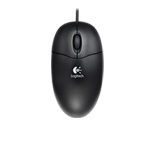 Speaking of cheaper optical mice I also have a Logitech Optical Mouse. This one doesn't have a spcial name. It's essentially the cheapest optical mouse that Logitech makes. It's a fantastic mouse! It's light, has a good mouse wheel and a great shape. What's more, the cursor feels like it's connected to the mouse unlike the Logitech MX Revolution. The only thing bad about this mouse is if you move it really fast the cursor gets confused and shoots off in the opposite direction. This makes it completely useless for games. I like this mouse so much and it's so cheap that I buy many of them and give them to my friends. Many of them have terrible mice that are so bad that I just take pity on them. If you want me to fix your computer you should at least get a decent mouse for me to use.
Between the lazy, disconnected performance of the Logitech MX Revolution and the Logitech optical mouse's unsuitability for games I was left with a hole in my life. I needed a mouse for StarCraft II! I think I might have found it in the steelseries XAI Laser Mouse.
I just got this mouse recently and its been consistently impressing me. The cursor feels connected to the mouse to an extent I don't think I've ever experienced. It's also light and has a shape very similar to the Logitech optical mouse. It is a bit bigger than the Logitech but it's also more comfortable. I must admit I am a complete addict of this mouse shape and while the MX Revolution is capable of giving me an orgasm every time I grab a hold of it I still keep going back to the traditional shape. Though at $99 I'm not going to give it away to friends for free. It's also not wireless. Which I like but might be a dealbreaker to some people.
Steelseries, the manufacturer, seem to take their mice extremely seriously. They don't ship any software in the box. You have to go and download it. I suspect this is because they don't want their clients to have out-of-date software although at $99 I expect to see some obsolete software in the box. Give me a CD you cheap bastards!
To be fair, the mouse will work fine out of the box. Steelseries actually advertises it as a driverless mouse. That is, a mouse that doesn't need drivers rather than a mouse that doesn't actually ship with the drivers. When you download the "driver" software, however, things start to get interesting.

The software is pretty well done on the whole although I noticed a repaint error or two. The software contains many delightful settings as well as an extremely informative manual attached to the side of the window. This is a good thing as I had no idea what any of the settings did until I read the manual. A full review of all the different settings is way beyond what I'm prepared to do but thankfully there are others to fill that gap. My only complaint, if it is a complaint, is that the software was done using anesthetic that a hard-core gamer would love. Black and orange! Yes! We could probably do that for InteleViewer. The radiologists would love it. Peow peow.
This mouse has made me very happy. It was made to the exacting standards of gamers but also works incredibly well for office work. Most importantly, it actually tracks properly! Hooray! I think I found a new favorite.
Using my psychic powers I can guess that someone's about to ask me if I've ever used any of Logitech's gaming mice. To be fair, I've never had the courage. They look massive! I'm not sure I would like using a mouse that big. To be sure I grabed a large potato and dragged it across the mouse pad a few times clicking on its eyes. It made a mess as I'm sure the gaming mouse would do. Want to clean up the mess? What better way than to use a mouse that looks like a bar of soap. That's my philosophy.
Sunday, October 10, 2010
Dragon test run
HelloI am testing Dragon NaturallySpeaking with the new microphone. So far it looks like it might be working okay. Although it's too soon to tell. I'm speaking particularly quickly this time. I hope that Dragon NaturallySpeaking will be able to keep up with me. There have been two errors so far. I hope this isn't a trend.
Hello (again). I'd like to talk to you today about spam. Spam is some kind of luncheon meat. I'm not entirely sure what it's composed of. I've been told it's composed of spiced ham and meat although this is only a rumor. I've only managed to taste it once and I haven't been impressed. It's not that I thought it tasted bad it's that I didn't think it tasted much like anything. I have always liked ingredients with strong taste. I like things like onions and strong cheddar and spiced turkey breast and hot pickles with maybe a gherkin as a side dish and some sour balls for dessert. I guess I like the feel of a nuclear explosion in my mouth.

While we're not on the topic I'd like to change the subject to which ingredients go best in sandwiches. My personal fav is old cheddar, mayonnaise, cucumber and tomato. If I can be bothered I sometimes chop up some onions and throw them in there as well as sometimes some spicy hot pickles. I used to make the same sort of sandwich but add in some lettuce. I've slowly been coming to the conclusion that lettuce in sandwiches is just a waste of space. It doesn't really offer much in terms of flavor and while it's true that it does create a pleasent crunchy texture you can get much the same effect with cucumbers.
One thing I can't understand is why anyone would put cheese and meat in the same sandwich. In my opinion a sandwich should based on one or the other. Tthey are both superstar ingredients. Both cheese and meat deserve their own show; they deserve to have other ingredients bask in their glory. To put both in the same sandwich is doing both a disservice. First of all they don't go particularly well together. Both meat and cheese have similar textures and basic tastes. Unless you're meat is salami and cheese is Swiss then I can see that. The worst combination is ham and mild cheddar. If you do that you might as well just shoot yourself or use spam.
The worst damage I've ever made is one that use plain white bread with butter and mild cheddar. That's absolutely completely unpleasant. I'm pretty sure that sandwiches classified as a torture device under the Geneva Convention.
Anyway, this concludes my test of Dragon NaturallySpeaking with a new microphone.
Hello (again). I'd like to talk to you today about spam. Spam is some kind of luncheon meat. I'm not entirely sure what it's composed of. I've been told it's composed of spiced ham and meat although this is only a rumor. I've only managed to taste it once and I haven't been impressed. It's not that I thought it tasted bad it's that I didn't think it tasted much like anything. I have always liked ingredients with strong taste. I like things like onions and strong cheddar and spiced turkey breast and hot pickles with maybe a gherkin as a side dish and some sour balls for dessert. I guess I like the feel of a nuclear explosion in my mouth.

While we're not on the topic I'd like to change the subject to which ingredients go best in sandwiches. My personal fav is old cheddar, mayonnaise, cucumber and tomato. If I can be bothered I sometimes chop up some onions and throw them in there as well as sometimes some spicy hot pickles. I used to make the same sort of sandwich but add in some lettuce. I've slowly been coming to the conclusion that lettuce in sandwiches is just a waste of space. It doesn't really offer much in terms of flavor and while it's true that it does create a pleasent crunchy texture you can get much the same effect with cucumbers.
One thing I can't understand is why anyone would put cheese and meat in the same sandwich. In my opinion a sandwich should based on one or the other. Tthey are both superstar ingredients. Both cheese and meat deserve their own show; they deserve to have other ingredients bask in their glory. To put both in the same sandwich is doing both a disservice. First of all they don't go particularly well together. Both meat and cheese have similar textures and basic tastes. Unless you're meat is salami and cheese is Swiss then I can see that. The worst combination is ham and mild cheddar. If you do that you might as well just shoot yourself or use spam.
The worst damage I've ever made is one that use plain white bread with butter and mild cheddar. That's absolutely completely unpleasant. I'm pretty sure that sandwiches classified as a torture device under the Geneva Convention.
Anyway, this concludes my test of Dragon NaturallySpeaking with a new microphone.
New USB microphone: Plantronics 655
Wait a moment, I never told you about which microphone I got.
So when you get Dragon NaturallySpeaking you get a free microphone in the box. I really like this microphone as it's free and I only had to pay $100 for Dragon to get it. As a rule, free stuff you get with other stuff you have to pay for is good. The best place to make use of this philosophy is at a convention where you get a whole bag of free stuff for going to the thing you had to pay for which you can then throw at people you went with and sometimes they even give it back which is all good but I digress.
After buying Dragon NaturallySpeaking I started to use Skype quite a bit. I used my Dragon NaturallySpeaking headset with Skype. If I could digress once again I'd like to point out that anyone who's not using a headset of some sort when talking with Skype is inflicting terrible pain on the other person. Whereas the person with the headset is producing beautiful, CD-quality audio without any background noise but I was not using the headset is creating an echo chamber full of background chatter, claiming pots and pans any inevitable crying baby noises.
Okay, now what was I talking about again? Oh yes, my old headset with intent to use that as a lead-in to my new headset. Well, that kind of went off the rails. Man, you'd think I'd be able to fix all this by editing it after I dictated it. Too bad Dragon is dictating this in "pen mode" and I don't want to leave any whiteout on my screen. Oh well.
So anyway, Skype got me addicted to headsets and I started to use it more and more often. Then Starcraft II came along and my life would never be the same again. You see, I play Starcraft II with a friend over Skype. This is great but the Dragon headset really isn't up to the task. For one thing it only has a speaker for one ear. For another it seems to be meant for someone with a really skinny head. After a few hours of playing it becomes extremely uncomfortable. So I went out and got myself a good, new, stereo headset.
What I got was a sort of middle middle-of-the-road Plantronics 655 USB headset. My intention was to use this headset for games and for dictating to Dragon NaturallySpeaking. Also keep in mind that my friend Guillaume had written a very nice article explaining how to purchase a headset for use with Dragon. As a result I also got a stereo, noise reducing, USB headset.

So far, it's worked quite nicely for both Starcraft II and Dragon. Having the full stereo headset makes a huge change for Starcraft II. I can hear a pin drop and can drop a siege tank on the poor SCV that dropped it. I can also dictate to Dragon NaturallySpeaking very nicely too. The headset also works nicely when listening to music and has two little buttons on the side of the earpiece that can control the sound volume.
The microphone is not bad. The recording is buzz free although it does pick up more background noise then I would like. It doesn't seem to pick up more than my old headset but I guess I was hoping that the noise cancellation feature would do miracles.
When used as a pair of headphone headphone, one thing that's so good it's almost creepy is that there's no buzzing. Usually a headset plugged into the stereo mini jack on the computer will create a tiny background hum or hiss all the time. This is typically because the audio card on the machine isn't perfectly isolated from all the electrical noise coming from inside the computer. Because this is a USB headset, however, there is none of that. It sounds as if the headphones are not plugged in if the computer is not playing any sound.
Now, if you're looking for super amazing sound quality then you might want to look elsewhere. I say "might" because I really don't know if they're any good or not. I don't have any fancy equipment at my disposal to test with and I don't have a golden ear either. All I know is pretty much matches what I've come to expect from full ear headphones.
The headphones also don't isolate you from noises in the room very much at all. It's got to be the least sound isolation I've had from a full-ear headset. I'm not sure this is a good thing or a bad thing. It would probably be a good thing if you're working in an office and somebody wanted to interrupt you. It's probably a bad thing if you're working in an office and you don't want to be interrupted. At least I'm aware of how loud I'm talking into the microphone.
The last minor quibble I have is that my standard speakers don't work with the headset plugged in. This means I'm forever unplugging the USB headset in order to switch to my regular speakers and back. My original headset used a typical stereo mini jack and I have two of those on my machine so I could keep the headset constantly plugged in and still play audio through the speakers. I just wish there was an easy way to flip the audio without unplugging the headset or going into the windows sound control panel and switching the default sound output device. Maybe some sort of keyboard shortcut? Hum, I'll have to look into that.
(OMG it works with skype!)
So when you get Dragon NaturallySpeaking you get a free microphone in the box. I really like this microphone as it's free and I only had to pay $100 for Dragon to get it. As a rule, free stuff you get with other stuff you have to pay for is good. The best place to make use of this philosophy is at a convention where you get a whole bag of free stuff for going to the thing you had to pay for which you can then throw at people you went with and sometimes they even give it back which is all good but I digress.
After buying Dragon NaturallySpeaking I started to use Skype quite a bit. I used my Dragon NaturallySpeaking headset with Skype. If I could digress once again I'd like to point out that anyone who's not using a headset of some sort when talking with Skype is inflicting terrible pain on the other person. Whereas the person with the headset is producing beautiful, CD-quality audio without any background noise but I was not using the headset is creating an echo chamber full of background chatter, claiming pots and pans any inevitable crying baby noises.
Okay, now what was I talking about again? Oh yes, my old headset with intent to use that as a lead-in to my new headset. Well, that kind of went off the rails. Man, you'd think I'd be able to fix all this by editing it after I dictated it. Too bad Dragon is dictating this in "pen mode" and I don't want to leave any whiteout on my screen. Oh well.
So anyway, Skype got me addicted to headsets and I started to use it more and more often. Then Starcraft II came along and my life would never be the same again. You see, I play Starcraft II with a friend over Skype. This is great but the Dragon headset really isn't up to the task. For one thing it only has a speaker for one ear. For another it seems to be meant for someone with a really skinny head. After a few hours of playing it becomes extremely uncomfortable. So I went out and got myself a good, new, stereo headset.
What I got was a sort of middle middle-of-the-road Plantronics 655 USB headset. My intention was to use this headset for games and for dictating to Dragon NaturallySpeaking. Also keep in mind that my friend Guillaume had written a very nice article explaining how to purchase a headset for use with Dragon. As a result I also got a stereo, noise reducing, USB headset.

So far, it's worked quite nicely for both Starcraft II and Dragon. Having the full stereo headset makes a huge change for Starcraft II. I can hear a pin drop and can drop a siege tank on the poor SCV that dropped it. I can also dictate to Dragon NaturallySpeaking very nicely too. The headset also works nicely when listening to music and has two little buttons on the side of the earpiece that can control the sound volume.
The microphone is not bad. The recording is buzz free although it does pick up more background noise then I would like. It doesn't seem to pick up more than my old headset but I guess I was hoping that the noise cancellation feature would do miracles.
When used as a pair of headphone headphone, one thing that's so good it's almost creepy is that there's no buzzing. Usually a headset plugged into the stereo mini jack on the computer will create a tiny background hum or hiss all the time. This is typically because the audio card on the machine isn't perfectly isolated from all the electrical noise coming from inside the computer. Because this is a USB headset, however, there is none of that. It sounds as if the headphones are not plugged in if the computer is not playing any sound.
Now, if you're looking for super amazing sound quality then you might want to look elsewhere. I say "might" because I really don't know if they're any good or not. I don't have any fancy equipment at my disposal to test with and I don't have a golden ear either. All I know is pretty much matches what I've come to expect from full ear headphones.
The headphones also don't isolate you from noises in the room very much at all. It's got to be the least sound isolation I've had from a full-ear headset. I'm not sure this is a good thing or a bad thing. It would probably be a good thing if you're working in an office and somebody wanted to interrupt you. It's probably a bad thing if you're working in an office and you don't want to be interrupted. At least I'm aware of how loud I'm talking into the microphone.
The last minor quibble I have is that my standard speakers don't work with the headset plugged in. This means I'm forever unplugging the USB headset in order to switch to my regular speakers and back. My original headset used a typical stereo mini jack and I have two of those on my machine so I could keep the headset constantly plugged in and still play audio through the speakers. I just wish there was an easy way to flip the audio without unplugging the headset or going into the windows sound control panel and switching the default sound output device. Maybe some sort of keyboard shortcut? Hum, I'll have to look into that.
(OMG it works with skype!)
Friday, September 24, 2010
Links ahoy
Yeah, I haven't said anything in a while. The reason: Starcraft II. It's highly addictive. So, while I'm playing my way through the campaign here are a few web pages I've found interesting:
Jeef Atwood's posted on the latest developments when it comes to SSDs. Apparently, they've gotten cheaper and faster. Ah but who's the fastest?
http://www.codinghorror.com/blog/2010/09/revisiting-solid-state-hard-drives.html
xkcd's worried that the windmills will kill us all.
http://xkcd.com/556/
.. and my good buddy Guillaume's posted his take on how to get the most out of Dragon Naturally speaking. You don't have dragon? You should. :-)
http://blog.gmarceau.qc.ca/2010/09/dictate-to-your-computer-like-pro.html
Also... did I mention starcraft II?
Jeef Atwood's posted on the latest developments when it comes to SSDs. Apparently, they've gotten cheaper and faster. Ah but who's the fastest?
http://www.codinghorror.com/blog/2010/09/revisiting-solid-state-hard-drives.html
xkcd's worried that the windmills will kill us all.
http://xkcd.com/556/
.. and my good buddy Guillaume's posted his take on how to get the most out of Dragon Naturally speaking. You don't have dragon? You should. :-)
http://blog.gmarceau.qc.ca/2010/09/dictate-to-your-computer-like-pro.html
Also... did I mention starcraft II?
Tuesday, September 7, 2010
Dialog Boxes
Dialogs suck. They rudely jump in your face, block you from doing anything else, can be cryptic and are often just plain pointless. When a dialog comes up users (that includes myself) want to make it go away as fast as possible. It is the computer equivalent to wack-a-mole. As a result nobody is really interested in what the dialog is trying to say.
When a dialog pops up in front of a typical user they will start looking for the fastest way of making the dialog go away. The easiest thing to do is look at the buttons first. If the buttons are labeled "Save", "Don't Save" and "Cancel" then you really don't need to read the rest. It's a save confirmation dialog so press save if you need to do that, "don't save" if you don't and cancel if you were really trying to do something else. Labeling dialog buttons with what they do is excellent practice.
Even if you don't buy the speed argument, putting the actions on the buttons themselves can help the user decode the rest of the dialog text. Example: A dialog with the text "The pliny has splonged the wirly. A momi is required." with "Get Moni Now" and "Get Moni Later" buttons is probably asking whether we'd like to do something now or a delay it until a little later. This isn't the best dialog because it's not clear what the consequences of the actions are but it's nice to see we can continue our work without getting a moni right away. Hopefully the pliny can limp along with a splonged wirly until then.
If the dialog has two buttons "Yes" and "No" then the user has to read the dialog text to find out what to do next. You can make this even worse by asking the user a question in the dialog text that doesn't require a yes/no answer. "Do you want to save or discard?" with "Yes" and "No" buttons, for example. That is not a yes or no question! You forfeit the rest of your questions! Again, labeling the buttons with the actions the user can take can avoid this class of error.
 (Consider which options to put in a dialog carefully. 3 buttons is plenty. Don't be WinSCP.)
If the dialog text is incomprehensible the user starts to cast about looking for clues. This includes reading your dialog's title. Most of the time a dialog boxes' title is not that informative so the next thing the user tries to do is close the dialog with the close box. The idea here is the the close box essentially maps to cancel and so "canceling" whatever the dialog box is talking about is usually a safe action. Knowing this don't go and disable the close box action. That's like removing a panic button and replacing it with a profiterole.
So there you have it: a user will tend to look at the buttons first, then read the text then start looking for clues in the dialog title. They read them backwards I tells ya!
When a dialog pops up in front of a typical user they will start looking for the fastest way of making the dialog go away. The easiest thing to do is look at the buttons first. If the buttons are labeled "Save", "Don't Save" and "Cancel" then you really don't need to read the rest. It's a save confirmation dialog so press save if you need to do that, "don't save" if you don't and cancel if you were really trying to do something else. Labeling dialog buttons with what they do is excellent practice.

Even if you don't buy the speed argument, putting the actions on the buttons themselves can help the user decode the rest of the dialog text. Example: A dialog with the text "The pliny has splonged the wirly. A momi is required." with "Get Moni Now" and "Get Moni Later" buttons is probably asking whether we'd like to do something now or a delay it until a little later. This isn't the best dialog because it's not clear what the consequences of the actions are but it's nice to see we can continue our work without getting a moni right away. Hopefully the pliny can limp along with a splonged wirly until then.
If the dialog has two buttons "Yes" and "No" then the user has to read the dialog text to find out what to do next. You can make this even worse by asking the user a question in the dialog text that doesn't require a yes/no answer. "Do you want to save or discard?" with "Yes" and "No" buttons, for example. That is not a yes or no question! You forfeit the rest of your questions! Again, labeling the buttons with the actions the user can take can avoid this class of error.
 (Consider which options to put in a dialog carefully. 3 buttons is plenty. Don't be WinSCP.)
If the dialog text is incomprehensible the user starts to cast about looking for clues. This includes reading your dialog's title. Most of the time a dialog boxes' title is not that informative so the next thing the user tries to do is close the dialog with the close box. The idea here is the the close box essentially maps to cancel and so "canceling" whatever the dialog box is talking about is usually a safe action. Knowing this don't go and disable the close box action. That's like removing a panic button and replacing it with a profiterole.
So there you have it: a user will tend to look at the buttons first, then read the text then start looking for clues in the dialog title. They read them backwards I tells ya!
Subscribe to:
Posts (Atom)

 Posts
Posts